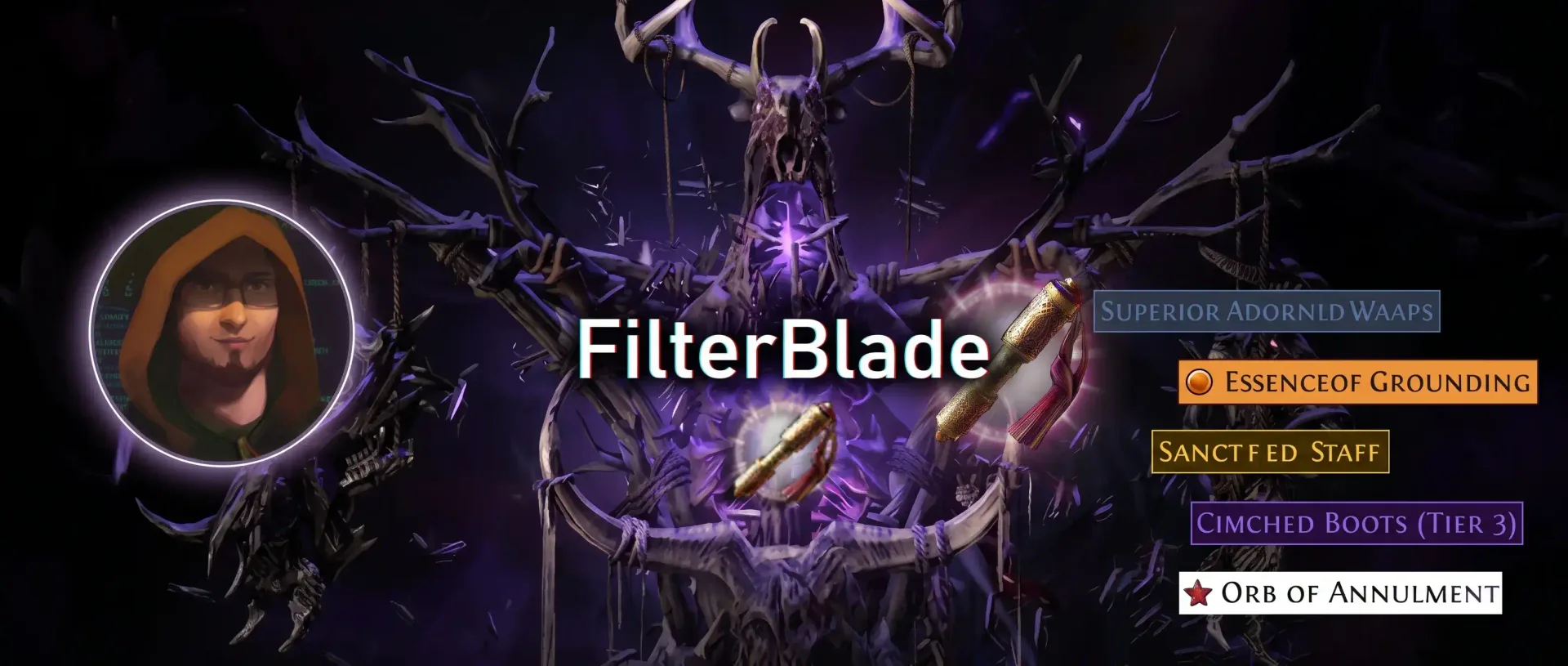
FilterBlade is ready for the PoE2 0.5.5 event. Here is how to get it sorted
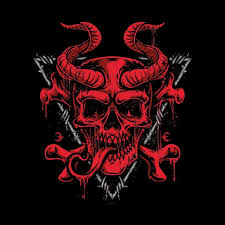
FilterBlade now supports the new event league and its items. Switch the game mode to "NeverSink SC Event", wait for the servers to patch before loading it.
If you play with a NeverSink filter, and most of us do, there is one small thing you need to do before the new league kicks off. FilterBlade has been updated to support the new event and all the new items that come with it, but the update lives under its own game mode. Switch to it and you are good to go.
You can read NeverSink's own announcement, with his answers to the most common questions, right here: NeverSink on X. Everything below is the short version of that thread.
Switch the game mode on FilterBlade
Head over to filterblade.xyz and look at the Get started row at the top of the page. One of the tiles there is the game mode selector. Pick "NeverSink SC Event" and FilterBlade will load the filter built for the event league, with the new items already in it.
That is really the whole trick. If you leave the game mode on the regular PoE2 setting, you are still on the old filter and the new drops will look wrong or show up unstyled.
Do not load it before the servers are patched
This is the part people trip over every league, so it is worth saying plainly: the new filter will not work until the game servers are patched. Path of Exile checks every item name in your filter when it loads it. If the filter names an item the game does not know yet, the game refuses the filter. So if you download the event filter early and start the game before the patch is live, expect it to error out. Nothing is broken, the game just does not know those items exist yet. Patch, then load.
What about the ladder filters?
The regular NeverSink filters you download from the ladder in the game menu still work during the event. The catch is that their economy tiering is tuned to the main PoE2 league, not the event, so item values will be a bit off. For the event itself, grab the filter from FilterBlade with the event game mode selected. NeverSink also mentioned that a dedicated economy branch for the event is on the way on FilterBlade.
Economy adjustments come a little later
Right at launch nobody knows what will be worth picking up, so the filters start from a sensible baseline. Once there is enough trade data from the event, the tiers will be adjusted to match the real economy. Keep an eye on FilterBlade over the first few days and re-sync your filter when the update lands.
How to keep your filter up to date
If you have never updated a FilterBlade filter mid league before, the easiest route is their FAQ entry on live cycling: filterblade.xyz/FAQ?search=livecycling. It walks you through syncing your customised filter so you do not have to redo your settings every time the tiers change.
Quick checklist
Open FilterBlade and set the game mode to "NeverSink SC Event".
Customise if you like, then download or sync the filter.
Wait for the game servers to be patched before loading it.
Re-sync in a few days once the economy tiers are adjusted.
Support the work
NeverSink has been keeping these filters alive, and free, through every league for years. If FilterBlade saves you time and headaches, you can learn more about what he does and support him on Patreon: patreon.com/c/Neversink.
Have a great start to the event, and may your first Divine drop early.